
TuneLush-Offline Music Player
Motasemviedo devTools
4.410.00 Reviews
- Version
- 1.0.6
- Installs
- 100.00K
- Age Rating
- Everyone
Screenshots
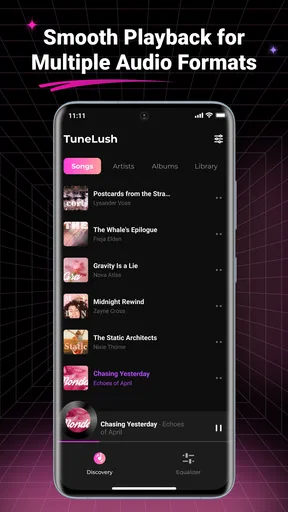
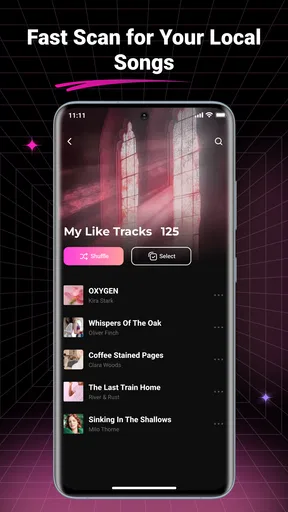
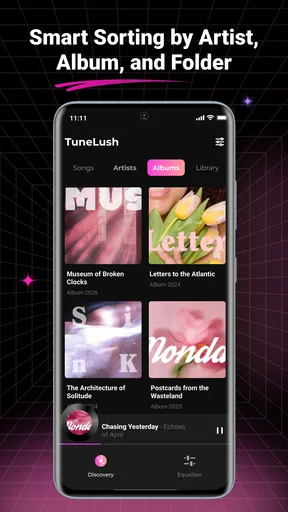
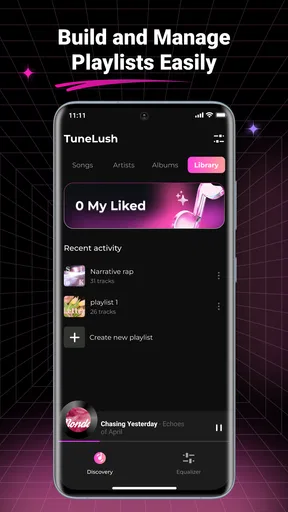
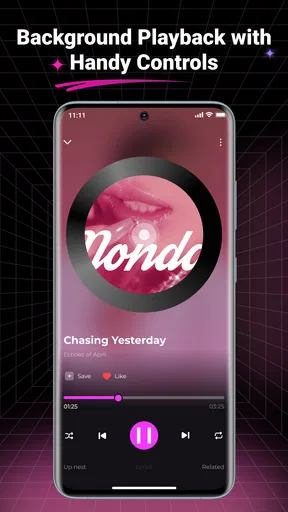
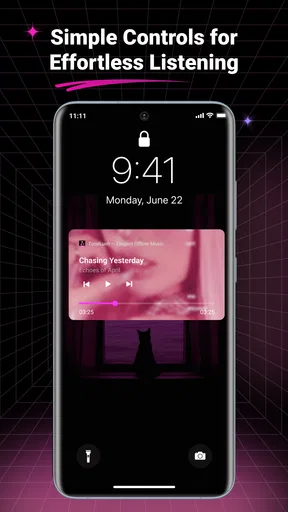
Our Review of TuneLush-Offline Music Player
 Analysis by Appyee
I often want music to be simple: choose a song, press play, and stop thinking about the connection, recommendations, accounts, or interruptions around it. That is the recurring problem TuneLush-Offline Music Player tries to solve. It is a free tools app from Motasemviedo dev that focuses on playing music already stored on your device, with playlists, lyrics, and a local scan to bring that library together.
After spending time with it, I see the appeal clearly. TuneLush is not trying to replace a large streaming service or become a social music platform. Its useful role is much narrower and, for the right listener, more practical: it gives local audio files a dedicated place to live and makes them easier to browse. The result feels most valuable when I want predictable playback rather than a constantly changing online catalog.
The app is available for free and is suitable for Everyone. Its current version is 1.0.6, and it runs on Android 7.0 or later. Those details make it accessible to people using older Android phones, while the modest focus keeps the experience easier to understand than many all-in-one music services. The main question is not whether it has the largest feature set. It is whether your own music collection is important enough to deserve a cleaner player.
Why local playback can save more time than streaming
Streaming is convenient until the exact moment it is not. A weak signal can interrupt a song, a downloaded track may be unavailable after a subscription change, or a huge catalog can turn a quick listening session into a search exercise. Even when nothing breaks, online players often place discovery, recommendations, accounts, and promotional content between me and the music I already know I want.
TuneLush approaches that problem from the opposite direction. Instead of asking me to search an online service, it works with music saved locally and uses a scan to identify what is available on the device. That distinction matters for people who keep albums transferred from a computer, recordings obtained through legitimate sources, or a carefully maintained collection that does not need another subscription.
The time saving is especially noticeable when the same songs are played repeatedly. I do not have to remember which service contains an album, check whether it is still available, or wait for a connection before starting. I can open the player, use the organized local library, and continue with the listening habit I already have. The strongest benefit is reduced decision-making, not a bigger music catalog.
That also explains who should skip it. If nearly all of your listening comes from online radio, curated recommendations, podcasts, or a streaming subscription, a dedicated local player may feel unnecessary. TuneLush cannot make a locally stored library appear out of nowhere, and it is not the right tool for someone whose priority is discovering new releases inside a connected service.
Getting the first library ready
The first useful step is the local scan. I would begin by making sure the music I actually want is stored on the phone, then let TuneLush inspect the available files. This is more practical than manually opening tracks one by one because the scan is intended to turn scattered local audio into a usable in-app collection.
A sensible setup is to start with a small, familiar group of albums or playlists rather than moving an entire archive immediately. That makes it easier to notice how the app presents the library and whether the existing file organization matches the way I like to listen. Once the basics are comfortable, adding more music becomes a gradual housekeeping task instead of a frustrating first session.
The scan also creates an important trade-off. It saves time compared with building a library manually, but the quality of the result depends on the files already present on the device. If an album is poorly organized locally, the player cannot magically repair every part of that collection. I would therefore treat file organization as part of the setup: keep related tracks together, use clear names, and avoid filling the phone with duplicates before scanning.
One useful workflow is to prepare listening groups outside the app before importing them. For example, I might keep a folder for commuting, another for concentration, and a third for long offline trips. After the scan, those groups are easier to turn into playlists than a single mixed pool of files. This is a small habit, but it reduces the time spent sorting music after the player has already found it.
Lyrics are another feature worth testing early rather than assuming they will solve every song-related need. When lyrics are available for the tracks in my collection, they add value during focused listening or casual sing-alongs. Still, the practical experience depends on the local music and how its associated information is handled. I would view lyrics as a helpful layer over playback, not as a replacement for a lyric-focused service.
Using playlists without rebuilding your music life
Playlists are where a local player becomes more useful than a basic file browser. A file browser can open a track, but it usually does not encourage a repeatable listening routine. In TuneLush, I can think in terms of purpose instead of location: music for a walk, a familiar evening selection, or a short group of songs for a particular task.
I find it better to create playlists around real situations rather than overly precise moods. A “twenty-minute tidy-up” list, for instance, is more useful than a collection divided into tiny emotional categories that I will never maintain. The app’s local approach helps here because the playlist represents music I already own on the device, not a temporary bookmark in a changing online catalog.
There is also a maintenance advantage. A local playlist can remain useful when I am away from reliable service, traveling, or trying to limit mobile data use. I can prepare it once and return to it without repeating the same search. That is a more concrete benefit than simply having another way to press play.
At the same time, people with very large collections should expect some organization work. A local player is most comfortable when I know what is on my device. If my library contains many versions of the same track, incomplete albums, or files with inconsistent naming, playlists may require patience. TuneLush reduces the friction of playback, but it does not remove the underlying need to manage a personal collection.
Everyday situations where TuneLush earns its place
My clearest everyday scenario is a commute through areas where reception changes. Before leaving, I can rely on music already stored on the phone instead of hoping an online service will keep buffering smoothly. A playlist prepared for the trip means fewer screen interactions while moving and less temptation to browse when I should be paying attention to the journey.
It also fits quiet work sessions. I can scan a set of instrumental tracks, build a focused playlist, and return to it whenever I need background music. The advantage is consistency: recommendations do not suddenly change the tone, and a search for something new does not turn into a distraction. Lyrics can be useful here too when I want to follow a song briefly, although instrumental playlists remain better for tasks that require concentration.
Another good case is listening during travel. A long trip can expose the weakness of depending entirely on online access, especially when the connection is unreliable or data use matters. A local collection gives me control over what is available. I can prepare several playlists for different parts of the journey and avoid repeatedly searching for individual tracks.
TuneLush can also suit someone who has moved music from a computer to an Android phone and wants a dedicated interface instead of navigating folders. The local scan is valuable in that situation because it turns the transfer into a starting library. Rather than treating every file as an isolated object, the app gives the collection a more natural listening context.
There is a less obvious use for households or shared devices. If the phone contains a fixed collection intended for a particular person, a local player can be easier to hand over than an account-based service full of personal recommendations and changing settings. The age rating of Everyone supports that broad accessibility, though the actual suitability still depends on what music the device owner chooses to store.
What the app removes from the listening routine
The first friction it removes is the repeated online search. For music I already have, searching a streaming catalog is unnecessary work. Once the local scan has brought the collection into view, playlists and direct playback make the next session faster. That is a small improvement each time, but repeated listening is exactly where small delays become irritating.
The second is dependence on a live connection. Offline playback is not just useful for travel. It can help in places with poor reception, during temporary service problems, or whenever I want to keep music playing without using mobile data. The app’s purpose is strongest when reliability matters more than endless choice.
The third is the separation between music and discovery. Many online alternatives are designed to keep me browsing. TuneLush is better when I have already made the decision about what to hear. That makes it a calmer tool for routines, but a weaker choice when I want an algorithm to introduce unfamiliar artists.
Lyrics reduce another small interruption. Without an in-app lyrics option, I might pause playback and open a separate search when I want to check a line. Keeping that activity near the player is convenient. I would not choose the app solely for lyrics, but their presence makes local listening feel more complete than a bare-bones folder-based player.
The app’s adoption also suggests that it has found an audience beyond a personal experiment: TuneLush has passed one hundred thousand installs, holds a 4.4 average from around one hundred twenty ratings, and has about ten written reviews. Those figures are useful context, but I would still judge it by fit. A popular local player can be a poor choice for someone who never stores music offline, while it can be exactly right for a smaller group with a personal library.
Where the usual alternatives are better
A streaming service is the better option when access to a broad catalog is the main goal. It is more convenient for discovering artists, following new releases, and switching between devices through an account. TuneLush wins only when the songs are already local and predictable playback matters more than catalog size.
A basic built-in phone player may be enough for someone who plays individual files occasionally. In that case, installing another app may not save much time. TuneLush becomes more compelling when playlists, local scanning, and lyrics are features I will use repeatedly rather than merely admire once.
A file manager is useful for moving, renaming, and inspecting audio files, but it is not designed around the listening experience. I would use a file manager to prepare a collection and TuneLush to play it. That division of labor is practical: one handles storage, while the other handles the everyday act of choosing music.
A specialized online lyrics or music-discovery app can also be better for users who need extensive lyric coverage or recommendations. TuneLush’s lyrics feature is most valuable as part of a local playback workflow. It should not be treated as a full replacement for services built around those individual purposes.
Small habits that make the player more useful
I would scan after organizing the music, not before. This simple order prevents a messy first library and reduces the chance that I will spend more time correcting the collection than listening to it. If I regularly add new files, rescanning after a batch of transfers is more efficient than doing it after every single track.
I would also keep playlists purpose-driven and short enough to remain current. A playlist that reflects a real routine is easier to maintain than a giant “everything” list. For offline travel, I would prepare a dependable main playlist and a backup selection, because variety is helpful when a long day lasts longer than expected.
For lyrics, I would use them selectively. They are excellent when I want to follow a song or check a line, but leaving lyrics open all the time can turn a simple player into a more distracting experience. The best workflow is to keep playback central and treat lyrics as an occasional companion feature.
Finally, I would remember that local playback is only as reliable as the files on the phone. Keeping the collection tidy, removing duplicates, and leaving enough storage for normal phone use are sensible habits. TuneLush removes several interface steps, but it cannot replace basic care for the library itself.
My verdict after living with the offline approach
TuneLush-Offline Music Player is a focused Android tools app that earns its place by making an existing local collection easier to use. Its combination of local scanning, playlists, lyrics, and offline playback addresses a real recurring annoyance: wanting music immediately without depending on a connection or navigating an oversized online service.
I would recommend it to people who keep music on their phones, travel through unreliable coverage, prefer repeatable playlists, or want a straightforward player without a streaming subscription. The free price makes trying that workflow easy, and support beginning with Android 7.0 gives it a practical reach across older devices. Motasemviedo dev has kept the concept understandable rather than burying it under unrelated features.
I would not recommend it as the main music app for someone who expects constant discovery, a huge online catalog, podcast support, or account-based synchronization to be the center of the experience. For those needs, a mature streaming alternative will usually save more effort. TuneLush is deliberately more limited, and that limitation is both its weakness and its reason for being useful.
My final judgment is positive, with one condition: bring it a well-prepared local library. When that condition is met, the app saves time in the places that matter most—finding familiar music, avoiding connection problems, and returning to playlists without extra decisions. If your goal is dependable offline listening rather than endless discovery, TuneLush is a sensible, low-friction choice.
Verdict
Strengths of TuneLush-Offline Music Player
- Plays downloaded tracks without an internet connection.
- Simple interface makes browsing local music quick and convenient.
- Supports background playback while using other apps.
- Useful for avoiding mobile data consumption during listening.
- Keeps music available in areas with weak or no signal.
Limitations of TuneLush-Offline Music Player
- Requires music files to be stored on your device first.
- Storage space may fill quickly with large music libraries.
- Features depend on the audio formats your device supports.
- No streaming catalog for discovering or accessing new songs.
- Offline playback lacks cloud syncing across multiple devices.
Similar Picks in This Category
View All
Google LLC4.0

Gboard - the Google Keyboard
Google LLC4.5

Google Play services
Google LLC4.3

Google Play Store
Google LLC4.9

Files by Google
Google LLC4.5

SHAREit: Transfer, Share Files
Smart Media4U Technology Pte.Ltd.4.3
Frequently Asked Questions
What is TuneLush-Offline Music Player, and how does it work?
TuneLush-Offline Music Player is designed for listening to music stored locally on your Android or iOS device without requiring a continuous internet connection. After granting the necessary media-library permissions, the app scans compatible audio files and organizes them into categories such as songs, albums, artists, and playlists. It is intended for personal music collections rather than online music streaming.
Can I use TuneLush without an internet connection?
Yes, offline playback is the main purpose of TuneLush. Once your audio files are already saved on your device and recognized by the app, you can listen to them without mobile data or Wi-Fi. Internet access may still be required for downloading music through another service, receiving updates, displaying advertisements, or using any optional feature that depends on online content.
What audio files are supported by TuneLush?
TuneLush is primarily intended to play common music formats supported by your device, such as MP3 and other widely used audio files. Compatibility can vary depending on the operating system and the specific encoding of a track. If a song does not appear in the library, check that it is stored locally, accessible to the app, and saved in a supported format.
Does TuneLush include music for streaming or downloading?
TuneLush should not be treated as a replacement for subscription-based streaming platforms or music-download services. Its main function is to play music you already own or have legally transferred to your device. It generally does not provide a catalog of commercial songs to download. Users should obtain music from legitimate sources and respect copyright restrictions when importing files.
Is TuneLush free, and are there any limitations to consider?
The availability of free features, advertisements, in-app purchases, and premium options may depend on the version downloaded and the platform used. Before installing, review the store listing for current pricing and subscription details. Also check the requested permissions, because access to local media is necessary for playback, while unrelated permissions may deserve additional consideration before you continue.
